

Markbnj
-
Posts
17 -
Joined
-
Last visited
-
Days Won
2
Everything posted by Markbnj
-
Thank you Shane. This is/was very helpful. In order to make it clearer (to myself and others, I am requoting parts of your answer to make this crystal clear (for others-in future!) I asked: ME--> So, I am doing the chkdsk on the drive-pool disks, or the underlying disks? YOU-> You said: The chkdsk is (ALWAYS) done on the individual disks. (always : implied) ME--> One of the drives (drives from pool disk) was not transferred as it was the original (old-pc) boot drive. YOU->A pool is transferrable between machines by moving all of the drives. YOU--> If you only move some of the drives, the old and new machines (should) complain that there are drives missing --> (Caveat: the new machine will not complain about a drive whose poolpart it has not yet seen). ME--> One of the drives was not transferred as it was the original (old-pc) boot drive. ME--> I presume need to do (from the old pc): ME--> remove the boot drive from the drive-pool. YOU-> If you use the DrivePool GUI to "Remove" a present drive, and other drives are missing, it will be unable to "Remove" the present drive. --> (implied ) so YES, you need to bring the 'Just bunch of disks (JBOD) back to the original machine to successfully remove. --> This is because if you do this on the old machine (without bringing the JBOD back to that machine), it will be unable to "Remove" the present drive. And then I ask another (beginner?) question : ME--> is there a way to find out what was/is on (the old boot drive) ?? (from the drive-pool?) --> I.E., to see what may be missing from the original boot drive from the pool? YOU-> Yes [since], (the old machine's boot drive was part of the pool), it will have a hidden poolpart folder like the others (where all the pool content is kept). You ---->> (and two possible scenarios here): you --->If full pool duplication enabled then YOU -->The old boot drive's poolpart content should already be on the new machine. --> (since at least one other drive should have a copy), so you could just delete the old boot drive's poolpart folder on the old machine. 2. --> f you did not have full pool duplication Enabled on [OLD machine], OR --> you want to compare the content of the (old machine's boot drive) hidden poolpart folder --> with the content of the new machine's pool. --> You could then copy across anything missing (if you wanted to keep the old boot drive on the old PC). Critical take aways (for me) from above : Chkdsks are done on UNDERLYING drives, not from the 'drive-pool' drive. A missing drive (on new system) will not complain about a drive whose poolpart it has not yet seen). A method of comparing stuff from old to new machine: Thanks again, this product ROCKS!
-
So, I am doing the chkdsk on the drive-pool disks, or the underlying disks? and I could (in theory) start the scan at night, from a 'dos' prompt if that would be better. the drive -pool disk is 3 HD's totaling about 21TB And yet another question. (I am presuming that the answer will be: DO this from the original pc, not the new one?!) is there a way to find out what was/is on this boot drive ?? (from the drive-pool?) I am guessing that (the fact that one of the pooled drives never made it to new machine) [this] was part of the cause...
-
the problem has been resolved. The solution was to go to each individual drive and do the file permissions on that drive. I did NOT need to use the setacl program once I was putting the permissions on the underlying drives. I did need to continually hit alt-c to continue, after I hit one error. Eventually it finished, and I then again took ownership changed the security permissions as suggested (1: changed owner to administrators) (2: deleted other permissions ) (3: changed owner back to system) (4: did apply-- That's where I had the occassional 'no read' error above. 5) after hitting that error I hit ALT-C (continue) until the command finished HOPE THIS may help someone else in the future
-
-
-
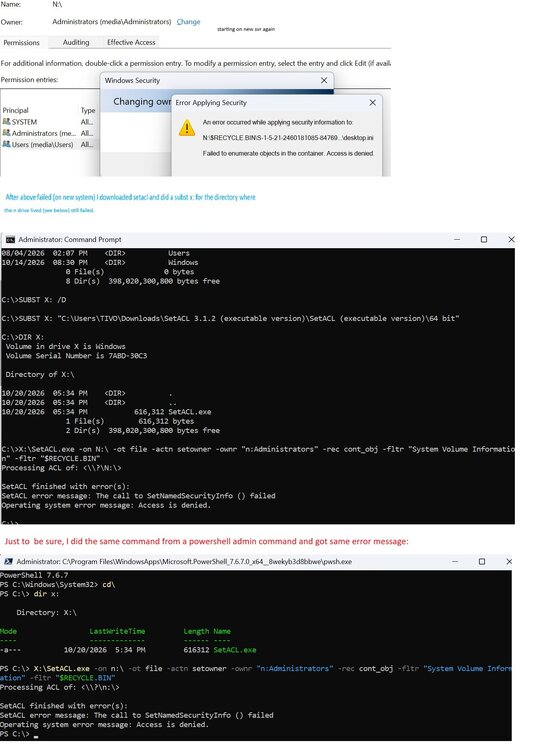
Will try this... Yes, I did run it as admin, and I also changed the startup directory for the same reason! will try again... Last question, I am presuming you are going to suggest I do this on the NEW system, and not the old one, correct? If SetACL fails on the pool drive, the next step would be to run it on each of the individual poolpart folders on the physical disks that make up the pool, as described in the same post.
-
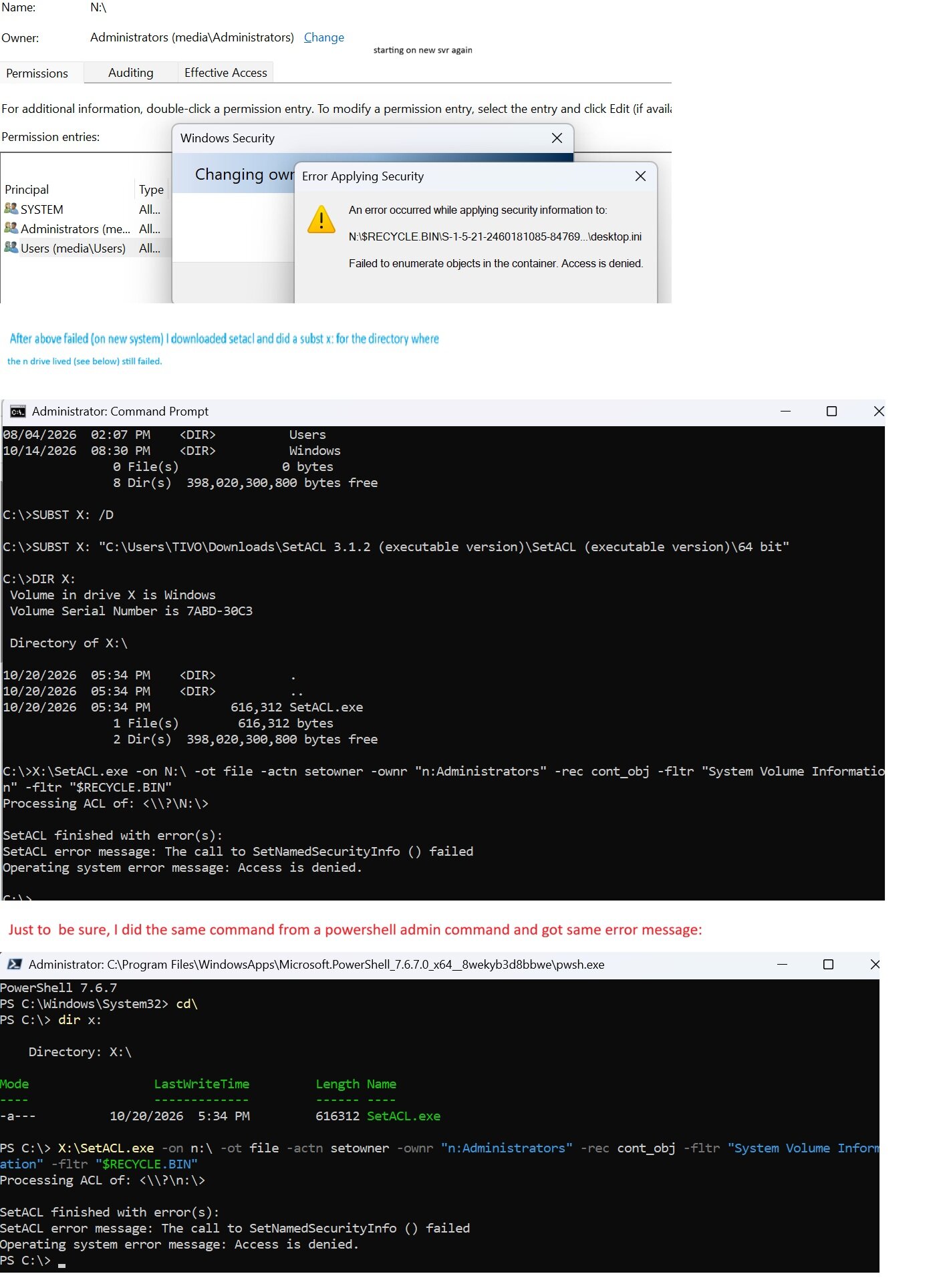
Hi Shane; I tried both the official (first solution) and the manual (2nd ones) from the old server: it didnt work. Here are my notes, and a question whether I need to download the CSS server utilities (I'm only running win/11 pro on both machines) ===========notes follow======= output to try and change permissions for j: (old --mdesk) or n: (new--tivo) drive-pool. I Tried the original (preferred) instructions here: https://wiki.covecube.com/StableBit_DrivePool_Q5510455 from new machine. failed. I then tried manual instructions here: https://community.covecube.com/index.php?/topic/5810-ntfs-permissions-and-drivepool/ from new machine, failed I then unplugged my jbod (just a box of disks) unit, and replunged it into the old system, which still had drivepool on it (with a different license) I then moved the JBOD to the OLD machine (mdesk, where it was the J drive) I then tried https://wiki.covecube.com/StableBit_DrivePool_Q5510455 from old machine. failed. installed setacl. per manual instructions I then tried https://community.covecube.com/index.php?/topic/5810-ntfs-permissions-and-drivepool/ from old machine, failed error messages: old machine C:\Users\mdesk\Favorites\Downloads\SetACL (executable version)\64 bit>dir Volume in drive C is m-desk-c Volume Serial Number is 4889-A119 Directory of C:\Users\mdesk\Favorites\Downloads\SetACL (executable version)\64 bit 07/10/2012 09:25 PM <DIR> . 07/09/2012 09:45 PM <DIR> .. 06/27/2021 01:10 AM 616,312 SetACL.exe 1 File(s) 616,312 bytes 2 Dir(s) 12,471,406,592 bytes free error (setacl) output: C:\Users\mdesk\Favorites\Downloads\SetACL (executable version)\64 bit>SetACL.exe -on j:\ -ot file -actn setowner -ownr "n:Administrators" -rec cont_obj -fltr "System Volume Information" -fltr "$RECYCLE.BIN" Processing ACL of: <\\?\j:\> SetACL finished with error(s): SetACL error message: The call to SetNamedSecurityInfo () failed Operating system error message: Access is denied. C:\Users\mdesk\Favorites\Downloads\SetACL (executable version)\64 bit> drivepool J properties tet version Permissions for DrivePool (J:) Security Object name: j:\ Group or user names: Authenticated Users SYSTEM Administrators (MITCH-DESK\Administrators) Users (MITCH-DESK\Users) ---------------------------------- Permissions for Users Full control x Modify x Read & execute x List folder contents x Read x results: Error Applying Security n error occurred while applying security information to: J:\batch\double-u-vs-tee-differences.txt Failed to enumerate objects in the container. Access is denied. Now because I previously saw that the $RECYCLE.BIN was causing problems, I deleted the entire (on J/mdesk) j recycle bin, so that directory was empty. Apparently didn't work because : the properties of $recyle.bin were: $RECYCLE.BIN Type:File folder (.BIN) Location: J: Size:730 GB (784,133,422,310 bytes) Size on disk: 730 GB (784,144,146,432 bytes) Contains:5,924 Files, 858 Folders And so the previous delete didn't work?! I cannot add/delete or change anything on the (tivo [new] system, on the N: drive (formerly the J drive on mdesk system), as I have no write permissions. ideas? is there a spot where I can send a support ticket in? thanks again in advance
-
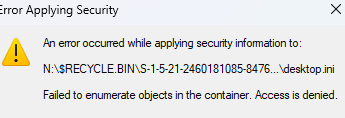
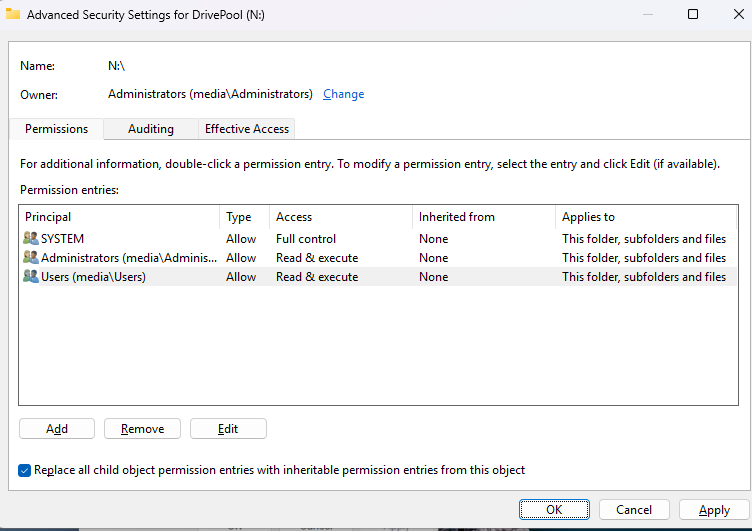
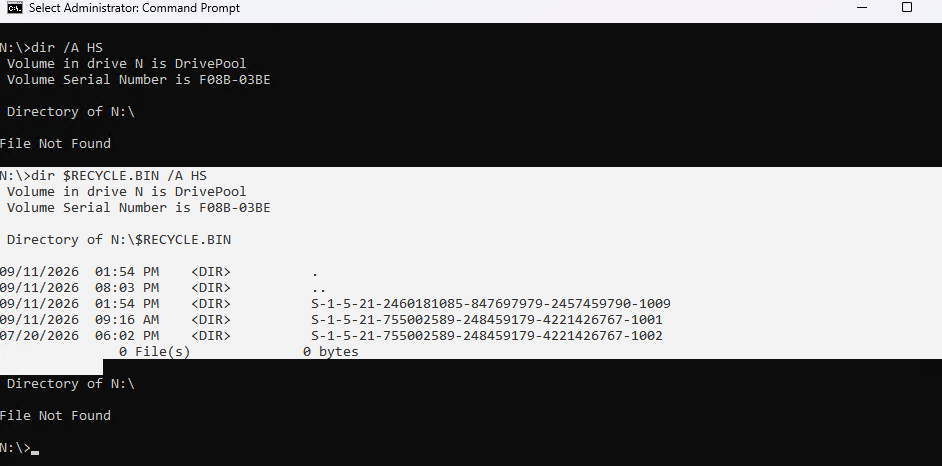
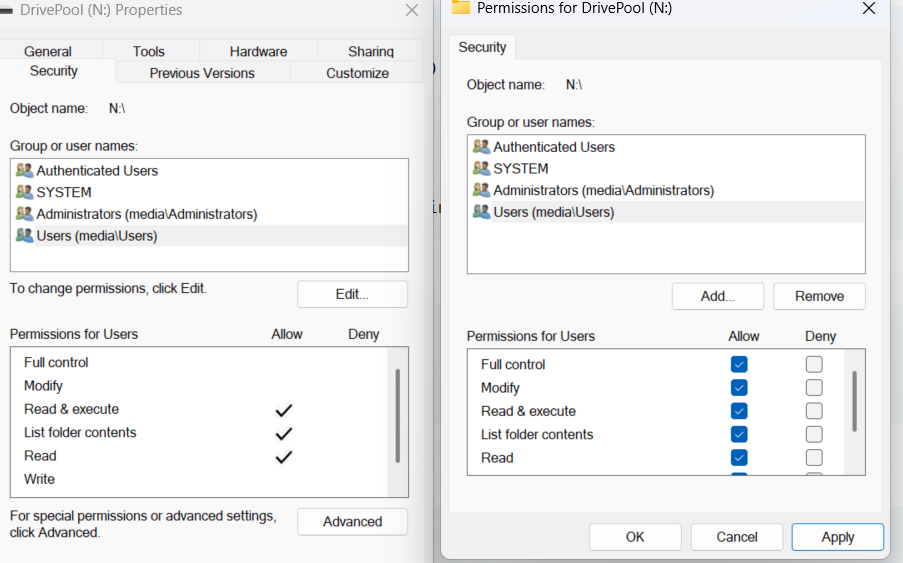
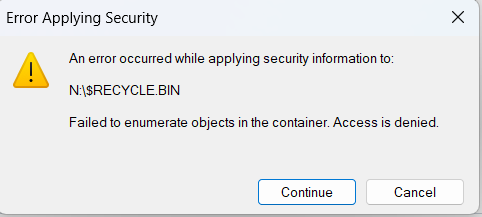
After recently upgrading my server, I purchased a second license (to support developers) and then moved my entire drive array to my new win11 machine (from old win11 machine) Some of it works fine, but C:\>icacls n: |more n: NT AUTHORITY\Authenticated Users:(OI)(CI)(F) NT AUTHORITY\SYSTEM:(OI)(CI)(F) BUILTIN\Administrators:(OI)(CI)(F) BUILTIN\Users:(OI)(CI)(RX) Successfully processed 1 files; Failed processing 0 files on one drive I can't seem to take ownership. Tried this after prev command C:\>takeown /f N:\ /R /D Y ERROR: Access is denied. Any suggestions on what I'm doing wrong? Thanks in advance!!!! And the first error message shows:
-
dval14sb: Thanks for that quick and easy answer. I agree supporting by buying another license is the way to go for this great program. The fact that I can just EASILY reinstall in a new machine is Fantastic. Thank you stable-bit!!!!
-
Hi. Love this program. Can someone with lots more experience tell me the best way to upgrade a machine currently running drive-pool?? I would like the new machine to use the same data and info I currently have. I would like to simply plug my HD's into new machine and go from there. I am guessing: a) buy another license (most likely) [I know I could just use one for less than 30 days] -I'd support the developers for this!!! b) bring up new machine with old disks?? Am I missing something big Thanks in advance
-
-
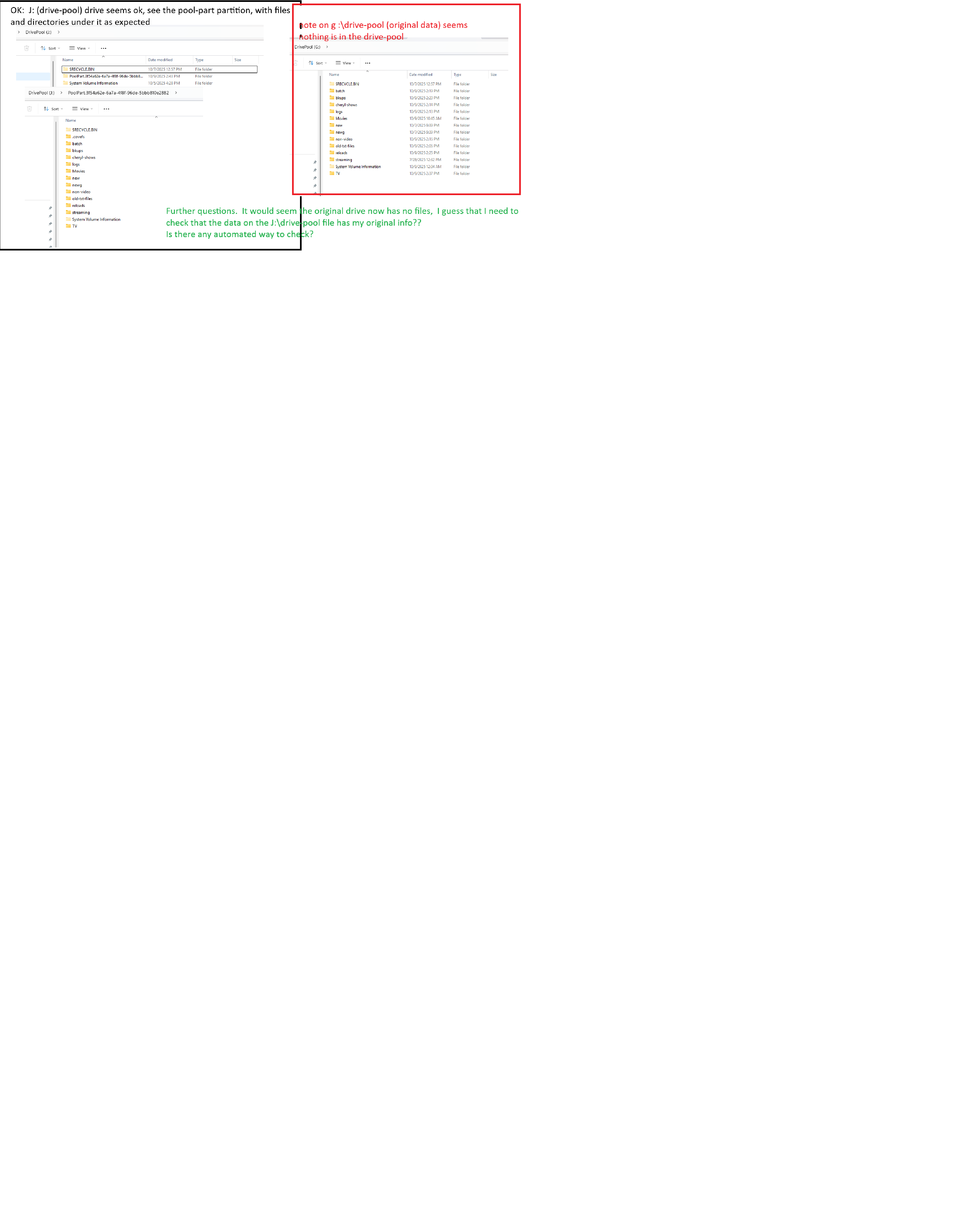
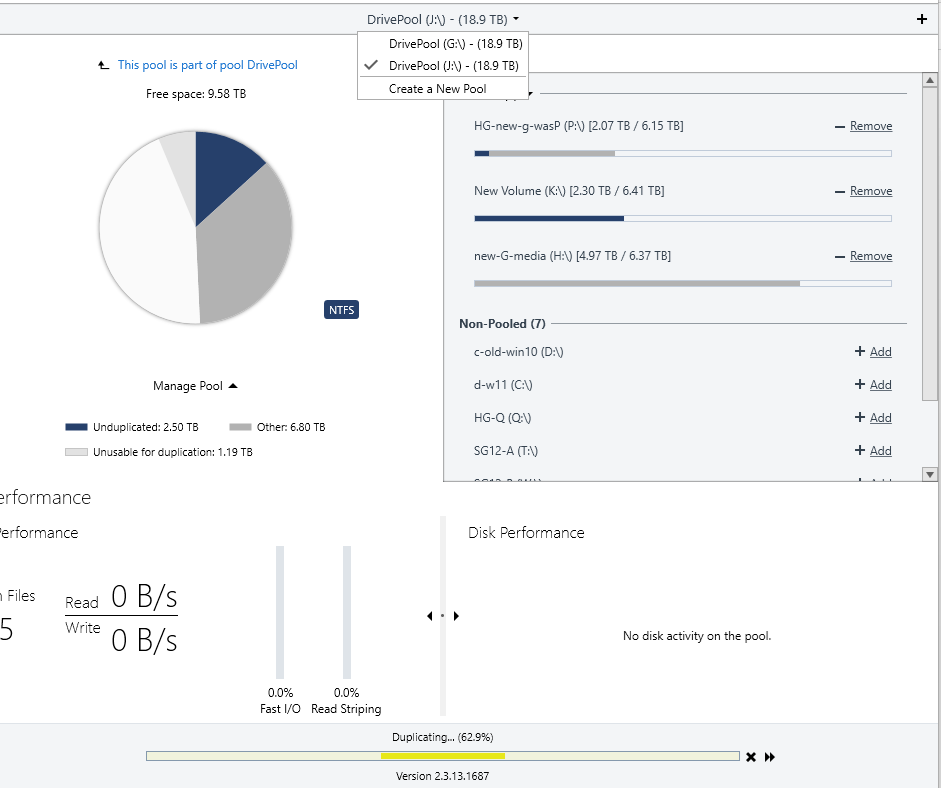
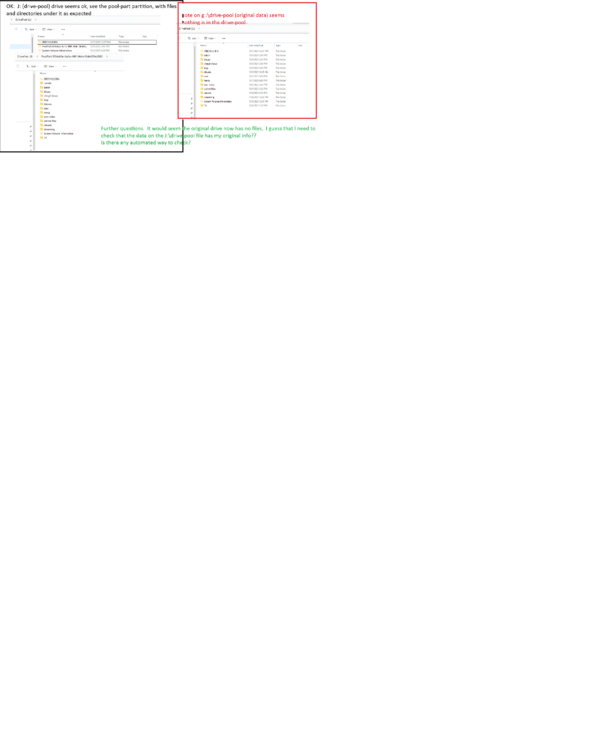
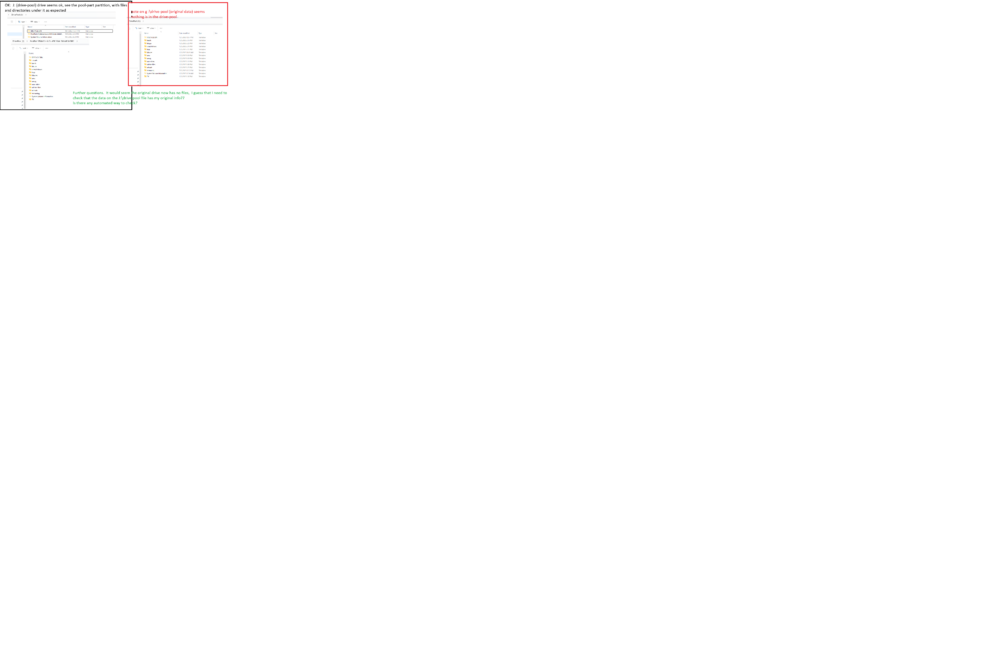
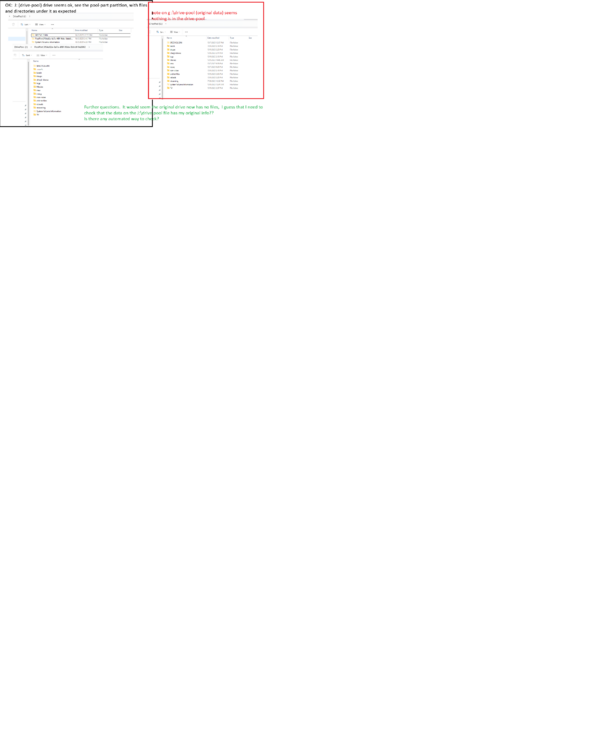
Sorry, I didn't see a way of editing my previous question. I included an additional screen shot, showing the J: drive pool, (which does have the poolpart.x directorties with everything in it) (so that is obviously ok) as well as the G:drive pool which only shows the original files. with no pool-part directory. (which means it's not really part of the drive-pool info... : Further steps? I (again) would guess I want to a) verify all files on J:\pool-part... vs my g:\ (original files) b) remove the files from G: c) add the newly cleared g: drive to the pool-part. LAST question (I think) is there a way to merge two separate pool-drives? IE, as I said, I have backups on 2 or 3 different hard disks, if I create drive-pools on them (or empty drives), will I be able to merge them at some point into my J:\drive-pool (new main drive)? Sorry this has been so difficult, I love the software, and in another month or so after getting more experience, will work on the cloud, and the other sw!
-
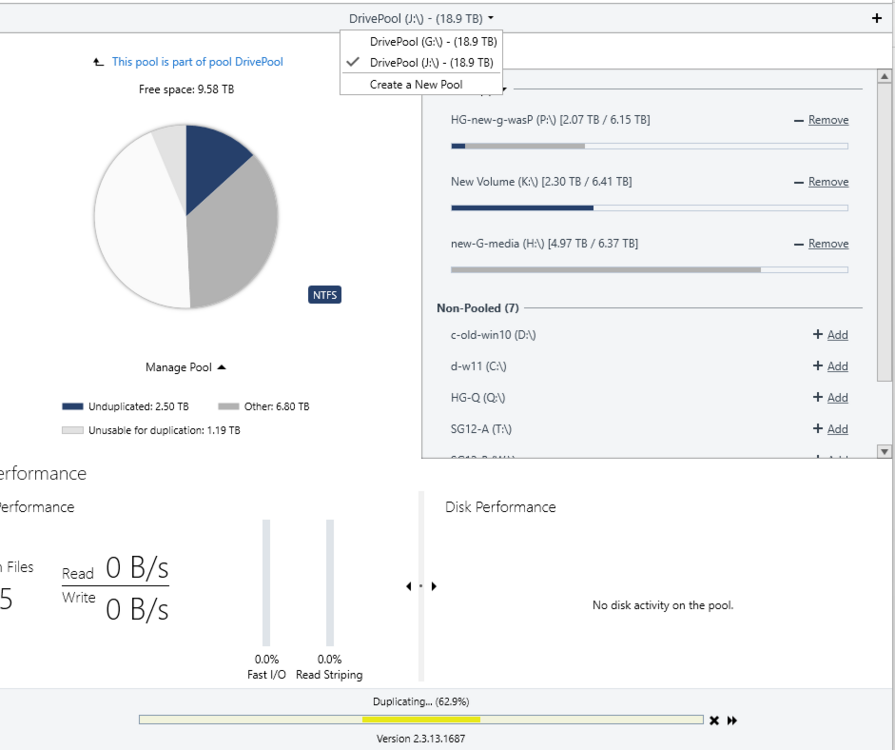
OK: SO my robocopy file program has completed. I think I need some help, as I should have done the stuff in your previous suggestion . my drivepool (J:) now shows most of my files (and here is the J: drive) J:\>dir *. /b all-watched batch bkups books cheryl-shows fm-mitch-lap-2-bkups-etc logs Movies new robocopy streaming tmp tmp2 TV video-pgms SO that looks good, so far However: Question 1) Had I understood (more) and will provide in the proposed FAQ, I would have NOT made my source drive (G:\) part of the drive pool. Question 2) I had lots of copies of my media (G) drive because I once had a failure. SO: As example, J: is my primary media drive. but i had backups on the P drive, q drive, etc What I'm trying to do is figure out, where (in the 6 large HD's on my PC, I copied stuff from my G drive as backups BEFORE I installed Drive-Pool. THIS is the FIRST thing I am putting in the "FAQ" before attempting to move an existing system containing live data into a drive pool, ensure that: a) you put your new drive-pool INITIALLY on a clean, empty drive (can be formatted), but no extra stuff on it. b) you follow the instructions given in your advanced instructions (here) Now, I essentially did that, and now (see photo) shows I have a G and a J drive pool (I think) using the g drive, and the j: drive, I did this, and am unsure what the 2 drive-pools mean (1 drive pool, or 2?? thanks again for your assistance!
-
Ah, Drashna: I wish that had been in a 'getting started' with drive-pool FAQ. It would have made my install much much faster and easier (and after 40 years of windows administration & user training) it would have been a piece of cake. I will see if I can write up a 'moving your Emby/Plex server into a Drive-pool installation FAQ, and send it to you for your review. PS: already bought my license. any suggestions about the other 2 parts that may also save me time? (cloud & scanner?) Also same question about my calibre E-book library and server. I figured I'd wait till my media server was set before doing those two, but I do already use Micro$oft onedrive, so it seems like a good fit (I hope). Mark
-
Updated question. Silly me (this will be a fast answer, I hope) On my TV drive, I had a hard junction point to another disk (previous backup method) so I had X:\tv which had a hard junction point to another drive as x:\tv\newdrive I forgot about this, and during my attempt to populate my drive-pool. I noticed this (and made the STUPID misteak!) of deleting the junction point in the middle of my Robocopy run to move all from my TV drive to my J:drive-pool drive. My question (simple I hope) Since X:\tv\newdrive no longer exists on X: WHAT HAPPENS to the files that WERE moved to J:\TV?? are they now deleted? and the same question in a different form.. Do I need to delete everything off my J:drive-pool drive and then... re-run this robocopy from scratch to get it correct? So far I can contribute the following: If you're trying to create a new installation of Drive-pool, DO NOT include the source drive in your pool (initially). It seems that it will be easier this way. thanks for reading...
-
OK: a few questions, as referrred and suggested by the folks at the EMBY.media site, who recommended drive-pool. I now have a empty pool with about 12 TB of space, which spans 3 different drives. Now. I want to make sure my new pool drive (J:) will have my current info So I think I need to do is: take my original emby directories take My essential data (on different drives) ---- tv tv\crime tv\sitcoms tv\drama tv\watched tv\movies and then copy them back to the j drive, and THEN tell emby to re-scan J drive, after all the misc. directories are put back onto J drive. and once this is done, how do I manage to bring my one-drive into a new installation , and do I also want that on the same drive, or do I want to create a different pool for that?? And to add yet another (minor) complication: I also run the Calibre ebook library on this server, complete with a link to the Freda ebook reader (that queries the calibre library before it downloads.) So: I believe that: I need drive-pool to get my emby/tv stuff. (it's already on one of the drives, in the J-pool, so it;s still working: BEFORE changing my emby site: a) move the directories to new j:drive. b) remove my hard links (instead of the drive letter) I installed for one drive. c) once the directories are on the j-drive, I can then re-format/restore my emby to the new drives. I need to create (or more accurately MOVE) my one-drive data to either the J, or a new drive-pool. I'd appreciate any suggestions, on how to do this all, safely, (and or ) easily... Also: please comment on the differences between Spinrite 6.1 (which can do the large volume disks at boot) vs. the Stablebit Scanner SW. I understand that spinrite's current DOS cannot let it see USB drives UNLESS they are there before SR starts, (and am still anxiously awaiting S7.0) which removes this. Am I correct in understanding that since Stablebit Scanner is implementing this all as a SW driver, it essentially is doing this maintenance in the background? and during dead times? If its easier please feel free to split these into two questions. Thanks. PS: If you didn't know, Steve Gibson also has had a 'security now' podcast for over 12 years, and you can get weekly transcripts Here by visiting GRC.com Mark B